Learning how to collaborate on group projects using AI enables teams to work more efficiently and cohesively. By leveraging artificial intelligence tools, team members can streamline task management, enhance communication, and foster innovative idea development, leading to successful project outcomes. Embracing AI-driven collaboration methods not only optimizes workflow but also encourages a more organized and responsive team environment.
This comprehensive approach covers selecting suitable AI tools, implementing strategies to improve coordination, overcoming common challenges, and documenting work effectively. Real-world case studies further illustrate how AI can transform group projects into more productive and collaborative efforts, ensuring teams are better equipped to meet their objectives.
Strategies for Effective Collaboration on Group Projects Using AI
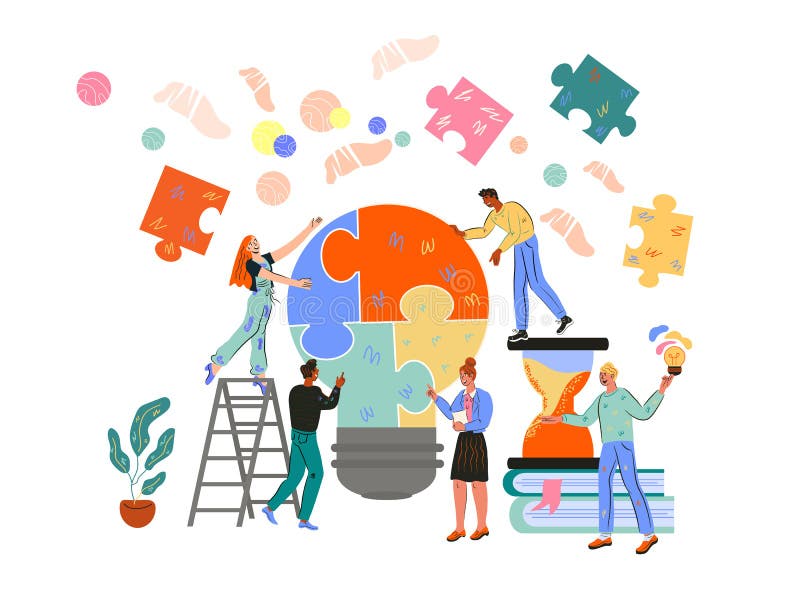
In the era of digital transformation, artificial intelligence has become an invaluable asset for enhancing collaboration within group projects. Leveraging AI tools not only streamlines workflows but also fosters a more cohesive and productive team environment. Implementing strategic approaches to utilize these technologies effectively can significantly improve project outcomes and team engagement.
By incorporating AI into various facets of group work, teams can optimize task allocation, generate innovative ideas, and maintain clear communication channels. Understanding and applying these strategies ensures that team members can harness AI’s full potential, leading to more organized, creative, and efficient collaborations.
Utilizing AI for Task Distribution and Management
Effective task management is fundamental to the success of group projects. AI-powered project management tools facilitate this by providing intelligent task allocation, progress tracking, and deadline reminders, ensuring that responsibilities are distributed fairly and efficiently according to each member’s strengths and availability.
Teams can use AI-driven platforms that analyze team members’ skills, workload, and past performance to assign tasks optimally. For instance, tools like Asana, Monday.com, or Trello integrated with AI plugins can automatically prioritize tasks, suggest deadlines, and identify potential bottlenecks before they impact the project timeline.
“AI-based task management systems enable leaders to make data-driven decisions, ensuring equitable workload distribution and timely project completion.”
Brainstorming Ideas and Developing Projects Using AI
Innovation is often driven by diverse ideas, and AI can significantly enhance this creative process. AI algorithms can analyze vast amounts of data, identify trends, and generate novel concepts that may not emerge through traditional brainstorming sessions.
Teams can utilize AI tools such as Kami, IBM Watson, or specialized brainstorming platforms that provide suggestions, summarize research, or simulate different scenarios. These applications facilitate collaborative ideation, helping teams develop comprehensive project plans that incorporate innovative perspectives while saving time on preliminary research.
“AI-driven idea generation accelerates the creative process, allowing teams to explore a wider array of concepts and approaches with increased efficiency.”
Streamlining Communication and Coordination with AI
Clear and consistent communication is crucial for group cohesion, especially in remote or hybrid work environments. AI applications can automate routine updates, transcribe meetings, and suggest action items, reducing misunderstandings and ensuring everyone remains aligned.
Platforms like Slack, Microsoft Teams, or Zoom, integrated with AI bots, can automatically organize conversations, flag critical messages, and schedule meetings based on participant availability. Additionally, AI-powered translation tools facilitate seamless collaboration across language barriers, broadening the inclusivity and scope of international teams.
“AI-enhanced communication tools promote transparency and efficiency, enabling teams to coordinate more effectively regardless of geographic dispersion.”
Choosing the Right AI Tools for Group Collaboration
Selecting appropriate AI tools is a critical step in ensuring efficient and productive group collaboration. With a wide array of AI-powered platforms available, teams must consider their specific project needs, size, and workflows to identify the most suitable solutions. The right choice can streamline communication, enhance task management, and facilitate seamless sharing and editing of documents, ultimately fostering a cohesive work environment.
Effective selection involves evaluating key criteria such as functionality, ease of use, compatibility with existing systems, and cost. By understanding the features and limitations of various AI platforms, teams can make informed decisions that align with their objectives. Comparing popular AI tools based on these factors enables organizations to optimize their collaborative efforts and achieve project goals efficiently.
Criteria for Selecting Suitable AI Software
When choosing AI collaboration tools, teams should focus on several essential criteria to ensure compatibility with their project requirements. These include:
- Project Needs: Determine whether the tool supports task management, real-time communication, document sharing, or a combination of these features. For example, a team working on detailed research projects may prioritize tools with advanced document editing capabilities.
- Team Size: Larger teams might require platforms with robust user management, extensive storage, and scalable features, while smaller groups may benefit from lightweight, user-friendly options that do not compromise simplicity.
- Ease of Integration: Compatibility with existing software ecosystems, such as email clients, project management platforms, and cloud storage services, is vital for smooth workflows.
- Security and Privacy: Ensure the platform adheres to industry standards for data security, especially when handling sensitive project information.
- Pricing and Budget: Assess whether the platform offers flexible pricing plans that fit the organization’s budget, considering free tiers, subscriptions, or enterprise licenses.
Comparison of Top AI Collaboration Platforms
Below is a table summarizing key features, compatibility considerations, and pricing structures of leading AI-driven collaboration tools. This comparison aids teams in making data-driven decisions based on their specific requirements.
| Platform | Features | Compatibility | Pricing |
|---|---|---|---|
| Microsoft 365 with AI Integration | Real-time editing, AI-powered suggestions, task automation, document sharing | Windows, Mac, Web, Mobile; integrates seamlessly with Office apps | Subscription-based; Plans start at $12.50/user/month |
| Google Workspace with AI Tools | AI-driven grammar suggestions, smart compose, collaborative editing in Docs, Sheets | Web-based, Android, iOS; compatible with various third-party apps | Plans start at $6/user/month with flexible tiers |
| Slack with AI Enhancements | Team communication, file sharing, AI-powered bots for scheduling and reminders | Windows, Mac, Web, Mobile; integrates with numerous productivity apps | Free tier available; Paid plans from $6.67/user/month |
| Notion AI | Project planning, note-taking, AI-generated summaries, content suggestions | Web, Desktop, Mobile; integrates with Slack, Google Drive, and more | Free for basic; Premium plans at $8/user/month |
By carefully evaluating these criteria and comparing options, teams can select AI tools that best support their collaboration needs, enhance productivity, and facilitate successful project completion.
Implementing AI to Enhance Communication and Coordination
Effective communication and seamless coordination are vital components of successful group projects. Leveraging AI tools can significantly streamline these processes, foster clearer interactions, and improve overall team productivity. Integrating AI-powered solutions requires strategic planning and proper execution to maximize their benefits within collaborative environments.AI technologies, such as chatbots and virtual assistants, can serve as intelligent facilitators for team interactions, ensuring that communication flows smoothly and information is readily accessible.
Additionally, AI-driven systems can monitor project progress, send automated reminders, and analyze communication patterns to identify areas for improvement in team dynamics. Proper implementation of these tools can transform traditional collaboration into a more efficient and cohesive process, ultimately leading to better project outcomes.
Integrating AI-powered Chatbots and Virtual Assistants
To enhance team communication, implementing AI chatbots or virtual assistants involves a structured approach to ensure they effectively support team members. Begin by selecting an AI platform compatible with your existing communication channels, such as Slack, Microsoft Teams, or email systems. Once integrated, customize the chatbot to address common queries, schedule meetings, and provide instant responses to frequently asked questions.Train the AI system with relevant project information, including deadlines, task assignments, and resource links.
Encourage team members to engage with the virtual assistant regularly for updates or clarification, which reduces the likelihood of miscommunication. Establish protocols for escalating complex issues to human team members, maintaining a balanced and efficient communication flow.
Using AI for Tracking Progress and Sending Automated Reminders
Monitoring the advancement of project tasks ensures that deadlines are met and resources are appropriately allocated. AI tools can automate this process by integrating with project management platforms to track task completion, time spent, and overall progress. These systems analyze real-time data to generate reports, identify bottlenecks, and recommend adjustments.Automated reminders play a crucial role in keeping team members aware of upcoming deadlines, meetings, and deliverables.
AI systems can personalize reminders based on individual workloads and preferences, ensuring timely and relevant notifications. For example, an AI assistant may send a reminder to a team member about an approaching submission deadline or alert managers if certain tasks are overdue.
Analyzing Communication Patterns to Improve Team Dynamics
AI analytics can provide valuable insights into how team members interact, revealing strengths and potential areas of conflict or misalignment. By analyzing communication data—such as message frequency, response times, sentiment, and engagement levels—AI tools can identify patterns that influence team cohesion.These analyses can highlight participants who may be less engaged or identify dominant communicators, helping leaders facilitate more balanced discussions.
AI can also detect sentiment shifts or recurring misunderstandings, enabling proactive interventions to address issues before they escalate. For instance, if AI detects a rise in negative sentiment in email exchanges, team leaders might organize targeted discussions to clarify expectations and improve morale.
Overcoming Challenges in AI-Driven Group Projects
Implementing AI tools in group projects offers numerous benefits, including increased efficiency and improved collaboration. However, teams often encounter several obstacles that can hinder the successful integration of AI. Addressing these challenges proactively is essential to maximizing the potential of AI-driven collaboration while maintaining a cohesive and effective team environment.Technical difficulties, resistance to AI adoption, and concerns over data privacy are among the most common hurdles faced by teams.
Overcoming these issues requires strategic planning, training, and open communication. By understanding these obstacles and implementing targeted solutions, teams can foster a smoother transition to AI-enhanced collaboration, ensuring that technology serves as an asset rather than a barrier.
Addressing Common Obstacles in AI-Driven Collaboration
Numerous challenges can arise when integrating AI into group projects, and recognizing these early is key to effective resolution. These obstacles often include technical difficulties, resistance from team members, and data privacy concerns. Each of these issues can impede progress if not managed properly.Technical difficulties may involve software glitches, compatibility issues, or insufficient infrastructure to support AI tools. Resistance to AI adoption often stems from fear of job displacement, unfamiliarity with new technology, or skepticism about AI’s reliability.
Data privacy concerns relate to the handling and security of sensitive information processed by AI systems, which can deter teams from leveraging the full potential of these tools.To mitigate these challenges, proactive strategies should be employed, including comprehensive training programs, transparent communication about AI’s benefits and limitations, and adherence to strict data privacy protocols. Establishing clear guidelines and support systems ensures that team members feel confident and secure when using AI tools.
Effective Training and Skill Development for AI Usage
A critical factor in overcoming obstacles related to AI adoption is equipping team members with the necessary skills and knowledge to utilize AI tools effectively. Proper training enhances confidence, reduces technical difficulties, and fosters a culture of continuous learning.Training programs should be tailored to the specific AI tools employed within the project, focusing on practical applications and hands-on experience. Workshops, online tutorials, and step-by-step guides are effective methods for skill development.
Additionally, creating a knowledge-sharing environment where team members can exchange tips and best practices encourages ongoing learning and collaboration.To ensure comprehensive understanding, consider implementing a mentorship system where more experienced users assist less familiar colleagues. Regular feedback sessions can also identify areas needing further clarification or support, ultimately leading to more proficient and self-reliant team members.
Balancing AI Automation with Human Oversight
While AI can automate routine tasks and enhance productivity, maintaining human oversight is vital to preserve the quality of collaboration and decision-making. An overreliance on AI may result in overlooked nuances or errors that only human judgment can catch.Effective strategies involve establishing clear boundaries for AI automation, ensuring that critical thinking, ethical considerations, and contextual understanding remain within human control.
Regular review and validation of AI outputs by team members help maintain accuracy and relevance.Encouraging open communication and collaborative review processes fosters a balanced approach, where AI handles repetitive or data-intensive tasks, freeing team members to focus on strategic planning, creative problem-solving, and interpersonal coordination. This synergy between AI and human input ensures high-quality outcomes and sustained team cohesion.
Best Practices for Documenting and Sharing Work with AI
Effective documentation and seamless sharing are vital components of successful group projects, especially when integrating AI tools. Proper organization not only enhances clarity but also facilitates efficient collaboration, version control, and accountability. Leveraging AI capabilities can streamline these processes, ensuring that project records are accurate, accessible, and easily reportable to all team members and stakeholders.Incorporating AI into documentation practices involves establishing structured workflows that utilize AI-assisted platforms for organizing files, tracking changes, and generating summaries.
These practices help teams maintain consistency, reduce manual errors, and foster transparency. Additionally, understanding how AI can simplify the creation of comprehensive reports from complex project data supports informed decision-making and project evaluations.
Organizing Project Files and Version Control Using AI-Assisted Platforms
Maintaining a well-organized repository of project files is essential for collaborative efficiency. AI-powered platforms such as GitHub, GitLab, or specialized project management tools equipped with AI features can automate and enhance the organization process. Key guidelines include:
- Implementing consistent naming conventions for files and folders to facilitate quick retrieval and reduce confusion.
- Using AI-driven tagging systems to automatically categorize documents based on content, which simplifies searching and filtering.
- Leveraging AI-based version control features that track changes, enable easy rollback to previous versions, and highlight modifications made by team members.
- Automating regular backups and synchronization across devices to prevent data loss.
These practices ensure that the project remains organized and that all team members access the most current and relevant information efficiently.
Utilizing AI to Generate Summaries and Reports from Project Data
AI technologies excel at transforming raw data into digestible summaries and comprehensive reports, thus saving significant time and effort for teams. Effective utilization involves:
- Applying Natural Language Processing (NLP) algorithms to analyze project documents, meeting notes, and communication logs to extract key themes and decisions.
- Using AI tools to automatically generate progress reports that highlight completed tasks, upcoming deadlines, and potential bottlenecks.
- Implementing dashboards powered by AI analytics that visualize project metrics and provide real-time updates, assisting team members and stakeholders in monitoring project health.
- Customizing report templates with AI to ensure consistency, professionalism, and tailored content suited for different audiences, such as clients or internal management.
These approaches promote transparency, keep all members informed, and support data-driven decision-making.
Comparison of Manual versus AI-Enhanced Documentation Procedures
Understanding the differences between traditional manual documentation and AI-enhanced workflows highlights the benefits and efficiencies gained through technological integration.
| Aspect | Manual Documentation Procedures | AI-Enhanced Documentation Procedures |
|---|---|---|
| Organization | Relies on manual file naming, categorization, and folder structuring, which can be inconsistent and time-consuming. | Uses AI-powered tagging, automatic categorization, and intelligent search to streamline organization and retrieval. |
| Version Control | Dependent on manual tracking, often leading to overlooked updates or confusion about the latest version. | Employs AI-driven version control systems that automatically track changes, alert team members to updates, and facilitate rollback if needed. |
| Summarization & Reporting | Requires manual compilation and synthesis of data, which can be labor-intensive and prone to omissions. | Utilizes NLP and AI algorithms to automatically analyze data, generate summaries, and produce detailed reports efficiently. |
| Accuracy & Consistency | Dependent on individual effort, leading to potential inconsistencies and errors. | Maintains high consistency and accuracy through AI automation, reducing human error and ensuring standardized outputs. |
| Time Efficiency | Often time-consuming, especially for large datasets or complex projects. | Significantly reduces time spent on documentation tasks, allowing teams to focus on core project activities. |
Incorporating AI into documentation processes offers a strategic advantage by enhancing accuracy, efficiency, and clarity, ultimately leading to more successful and cohesive group project outcomes.
Case Studies of Successful AI Collaboration in Group Projects
Real-world examples demonstrate the transformative impact of AI tools in enhancing collaboration, productivity, and outcomes in group projects across various sectors. By examining these cases, teams can glean valuable insights into effective implementation strategies, common challenges overcome, and best practices to emulate. These case studies serve as practical references, illustrating how AI-driven approaches can lead to innovative solutions and more cohesive teamwork.
Across industries, organizations have integrated AI platforms to streamline communication, facilitate task management, and enable data-driven decision-making. These examples highlight the versatility of AI applications—from small academic groups to large corporate teams—and showcase the tangible benefits achieved when AI is thoughtfully incorporated into the collaborative process.
AI-Enhanced Product Development in the Automotive Industry
One notable case involves an automotive manufacturer utilizing AI-powered collaboration tools during the development of a new vehicle model. The team employed AI-driven project management software that integrated real-time data analysis, virtual brainstorming, and automated task allocation. This approach facilitated seamless communication between designers, engineers, and suppliers, significantly reducing development cycles and minimizing errors.
Tools such as natural language processing (NLP) for instant translation and AI-based design suggestion systems enhanced coordination among international teams. The AI platform provided predictive insights into potential design flaws and supply chain bottlenecks, enabling proactive adjustments. This collaborative environment fostered innovation while maintaining efficiency and adhering to strict timelines.
AI in Academic Group Research Projects
Academic institutions have increasingly adopted AI tools to support student group research initiatives. In one example, a university project tasked students with analyzing large datasets related to climate change. The team used AI-powered data analysis platforms that automated data cleaning, pattern recognition, and visualization processes, allowing students to focus on interpretation and hypothesis development.
Communication was facilitated through AI-enabled chatbots that answered questions and scheduled meetings, ensuring consistent engagement despite remote working conditions. The use of collaborative AI tools led to more comprehensive research outputs, faster completion times, and improved peer learning experiences. Lessons learned emphasize the importance of selecting user-friendly AI systems and integrating them early into project workflows.
AI-Driven Marketing Campaigns in the Retail Sector
A retail company implemented AI collaboration tools to design and execute a multi-channel marketing campaign involving cross-functional teams. AI algorithms analyzed customer data to segment audiences and personalize content, while collaborative platforms used machine learning to optimize campaign schedules and responses in real-time.
Team members used AI chatbots to coordinate updates, share creative assets, and gather feedback, ensuring agility and alignment across departments. The success of this project underscored the value of AI in harmonizing efforts and responding swiftly to market trends. Key lessons include the importance of training team members on AI tools and establishing clear protocols for AI-generated insights and decisions.
Integrating AI into collaborative workflows enhances efficiency, fosters innovation, and enables data-driven decision-making, as evidenced by these successful case studies.
Final Review

In conclusion, mastering how to collaborate on group projects using AI unlocks numerous opportunities for improved efficiency and innovation. By adopting the right tools and strategies, teams can overcome obstacles and achieve remarkable results. Embracing AI-driven collaboration paves the way for more dynamic, organized, and successful project experiences that benefit all members involved.