Learning how to collaborate on editing drafts with AI involves understanding how artificial intelligence can enhance the editing process through seamless integration with human input. This approach combines the strengths of human creativity and judgment with AI’s efficiency in identifying errors and suggesting improvements, leading to more polished and cohesive documents.
By establishing clear workflows, utilizing suitable tools, and applying best practices for feedback management, teams can optimize their collaboration with AI. This synergy not only accelerates the editing cycle but also maintains high standards of quality and consistency throughout the drafting process, making it an invaluable asset for modern content creation.
Understanding the Fundamentals of Co-Editing with AI
Collaborative editing with AI tools has revolutionized the way individuals and teams approach document revisions. By integrating artificial intelligence into the editing process, users can enhance efficiency, accuracy, and creativity. Understanding the core concepts of this partnership is essential for leveraging its full potential and ensuring seamless collaboration between human contributors and AI systems.
At its foundation, co-editing with AI involves a synergistic relationship where human expertise drives the content’s purpose and tone, while AI provides support through suggestions, corrections, and content generation. This dynamic allows for more refined and polished documents, reducing time spent on routine editing and enabling focus on strategic and nuanced aspects of writing.
Core Concepts of Collaborative Editing with AI
Effective co-editing with AI hinges on several foundational principles that define how humans and artificial intelligence interact during the drafting process. These principles ensure that the collaboration is productive, accurate, and aligned with the writer’s intent.
- Interactive Assistance: AI tools serve as real-time editors, offering suggestions for grammar, style, clarity, and coherence as the human contributor works on the document. This immediate feedback fosters continuous improvement without disrupting the workflow.
- Context Awareness: Advanced AI systems analyze the overall context of the document, enabling them to provide more relevant suggestions. For example, they can recognize the tone of a business proposal versus a creative story and adapt their recommendations accordingly.
- Customizable Feedback: Human contributors often set parameters or preferences for AI assistance, such as tone, formality level, or technical jargon, ensuring the AI’s suggestions align with the specific requirements of the project.
- Version Control and Traceability: Co-editing platforms maintain a history of revisions made by both human editors and AI, allowing users to track changes, accept or reject suggestions, and revert to previous versions if necessary.
Roles of Human Contributors versus AI in the Drafting Process
Distinguishing the roles of human and AI participants in collaborative editing highlights the strengths and limitations of each. While AI enhances efficiency and consistency, human oversight ensures contextual relevance, ethical considerations, and creative expression.
| Human Contributors | AI Systems |
|---|---|
|
|
Typical Workflows Integrating AI During Document Revisions
In practice, the integration of AI into the editing workflow involves a series of steps designed to optimize collaboration and productivity. Recognizing these workflows helps users maximize the benefits of AI-powered co-editing tools.
- Initial Drafting: The human author creates the first version of the document, focusing on content and structure without heavy reliance on AI.
- AI-Assisted Editing: As the draft develops, the AI suggests grammatical corrections, style improvements, and structural adjustments in real-time or during dedicated review sessions.
- Review and Refinement: The human reviewer evaluates AI suggestions, accepting relevant changes and rejecting others based on the context and intent.
- Content Enhancement: AI can assist in expanding ideas, providing alternative phrasings, or generating additional content segments to enrich the draft.
- Finalization: The document undergoes a comprehensive review, with AI tools helping ensure consistency, clarity, and adherence to standards before the final version is published or shared.
“Combining human judgment with AI assistance streamlines the editing process, producing high-quality documents efficiently.”
Setting Up Collaborative Drafts with AI Assistance
Establishing an effective environment for AI-supported collaboration requires a structured approach to initiating projects and preparing documents. Proper setup ensures seamless interaction between human contributors and AI tools, fostering efficiency and accuracy throughout the editing process. This section provides a comprehensive guide to kick-starting collaborative drafts, including step-by-step procedures, workflow visualization, and essential document preparation checklists.
Implementing a systematic setup process helps teams optimize their use of AI in editing, minimizes errors, and enhances overall productivity. By following organized procedures and adhering to best practices, collaborative projects can progress smoothly from initial concept to polished final drafts.
Step-by-Step Procedures for Initiating AI-Supported Editing Projects
Initiating a collaborative draft with AI assistance involves clear stages designed to streamline the workflow and ensure everyone understands their roles. The following steps Artikel a practical approach:
- Define the Project Scope: Clearly Artikel the objectives, target audience, and expected outcomes. Establish the scope to guide the AI’s focus and the team’s efforts.
- Select Appropriate AI Tools: Choose AI-powered editing platforms compatible with your document type and collaboration needs. Consider tools that support real-time editing, version control, and integration with existing software.
- Configure User Access and Permissions: Set up user accounts for team members, assign roles, and determine access levels to ensure secure and organized collaboration.
- Prepare the Initial Draft: Develop a preliminary version of the document, ensuring clarity and completeness where possible, to serve as the basis for AI-assisted editing.
- Upload and Integrate the Draft into the AI Platform: Import your document into the chosen AI environment, ensuring proper formatting and compatibility.
- Set Editing Parameters and Guidelines: Define editing preferences, such as tone, style, and specific guidelines for AI suggestions to align outputs with your project goals.
- Begin Collaborative Editing: Engage team members in editing sessions, leveraging AI suggestions for grammar, style, and content improvements, while maintaining oversight.
Following these steps ensures a structured, efficient initiation of AI-supported editing projects, facilitating smooth collaboration from the outset.
Workflow Diagram Illustrating Collaboration Stages
Visualizing the collaboration process enhances understanding of the sequential steps involved in AI-assisted editing. Below is a detailed description of the workflow diagram stages:
| Stage | Description |
|---|---|
| 1. Draft Creation | Initial development of the document by team members, focusing on content and structure. |
| 2. Document Upload & Setup | Importting the draft into the AI platform, configuring settings, and assigning roles. |
| 3. AI Analysis & Suggestions | AI scans the document, providing suggestions for grammar, style, clarity, and coherence. |
| 4. Collaborative Review | Team members review AI suggestions, accept or modify them, and discuss necessary changes. |
| 5. Revision & Refinement | Implementing agreed-upon edits, refining content based on feedback and AI input. |
| 6. Final Validation | Final review by the team, ensuring all suggestions are incorporated and the document meets quality standards. |
| 7. Approval & Publishing | Final approval and publishing or sharing of the completed document. |
This workflow promotes systematic collaboration, leveraging AI to streamline each stage and enhance overall document quality.
Checklist for Preparing Documents Suitable for AI Collaboration
Prepping your documents correctly enhances AI effectiveness and facilitates smoother editing sessions. The following checklist ensures your files are optimized for AI-supported collaboration:
- Clear Formatting: Use consistent font styles, headings, and spacing to make the document easily interpretable by AI.
- Complete Preliminary Content: Include all essential sections, avoiding placeholder text, to provide comprehensive context for AI analysis.
- Remove Unnecessary Elements: Eliminate extraneous comments, tracked changes, or formatting quirks that may confuse AI processing.
- Standardize Language and Style: Maintain a consistent tone and vocabulary aligned with your project goals to guide AI suggestions effectively.
- Segment Complex Sections: Break down lengthy or intricate passages into manageable parts, aiding AI in providing precise recommendations.
- Save in Compatible Formats: Use widely supported formats such as DOCX or TXT, ensuring smooth upload and processing by AI tools.
- Include Reference Materials: Attach style guides, glossaries, or specific instructions to assist AI in aligning suggestions with your standards.
- Verify Document Integrity: Check for corrupt files or formatting errors prior to upload to prevent processing issues.
Proper preparation of documents ensures AI tools can deliver accurate, relevant, and actionable suggestions, thereby improving collaboration outcomes.
Techniques for Effective AI-Driven Editing
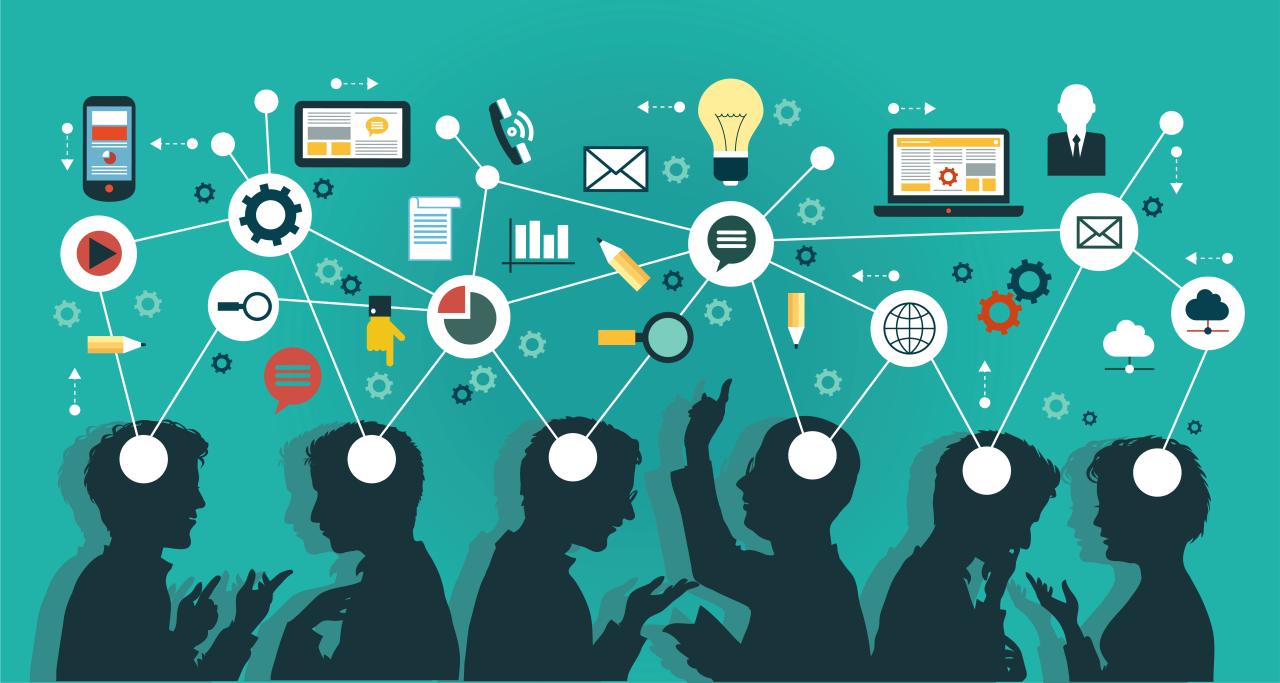
Incorporating AI into the editing process enhances the quality and coherence of drafts, making the collaborative effort more efficient. Understanding how to effectively communicate with AI tools to suggest revisions based on tone, clarity, and structure is essential for achieving optimal results. Additionally, leveraging AI’s capabilities to identify inconsistencies and errors can significantly streamline editing workflows.
Mastering these techniques involves clear instruction, strategic utilization of AI features, and critical evaluation of AI suggestions. By doing so, editors and writers can refine drafts with greater precision, ensuring the final content aligns with the intended message and style.
Explaining Revisions in Tone, Clarity, and Structure
Effectively guiding AI to suggest meaningful revisions requires precise and contextual instructions. When requesting modifications, specify the desired tone—formal, friendly, persuasive, or neutral—and provide examples if possible. For clarity, highlight sections where ideas may appear ambiguous or overly complex, prompting the AI to suggest simplifications or rephrasing. Regarding structure, indicate if sections need better organization, logical flow, or paragraph segmentation.
“Providing contextual cues and specific instructions enables AI to generate more relevant and targeted suggestions, ultimately improving the quality of the draft.”
Using clear prompts like, “Make this paragraph more concise and professional,” or “Improve the clarity of this section by simplifying language,” helps the AI understand the editing intent. Additionally, reviewing AI-suggested revisions critically ensures the enhancements align with the document’s purpose.
Utilizing AI to Identify Inconsistencies and Errors
AI tools excel at scanning large volumes of text quickly to identify grammatical errors, spelling mistakes, and factual inconsistencies. To maximize these capabilities, integrate AI checks regularly during the editing process, especially after significant revisions. Pay attention to flagged issues and evaluate whether suggested corrections preserve the original meaning or introduce unintended changes.
Best practices include setting specific parameters for error detection, such as focusing on tone consistency or technical accuracy. Regularly updating AI models with domain-specific knowledge enhances detection accuracy, especially in specialized fields like legal, medical, or technical writing.
| Section | Human Edits | AI Suggestions |
|---|---|---|
| Introduction Paragraph | Rephrased to add a more engaging opening and improve flow. | Suggested a more concise version, emphasizing clarity and a formal tone. |
| Technical Explanation | Expanded with additional examples for better understanding. | Recommended simplifying complex sentences and correcting minor grammatical errors. |
| Conclusion | Integrated a call-to-action, making the ending more compelling. | Recommended removing redundant phrases for brevity. |
This comparative approach demonstrates how human insights can complement AI suggestions, resulting in a well-polished draft that benefits from both analytical precision and creative judgment.
Tools and Platforms Facilitating Collaborative Editing with AI
In the evolving landscape of digital content creation, AI-enabled editing platforms have become essential for fostering seamless collaboration among teams. These tools not only streamline the editing process but also enhance accuracy and creativity by integrating artificial intelligence directly into shared environments. Selecting the right platform depends on various factors, including features, usability, and compatibility with existing workflows, making it crucial to understand the capabilities each offers.
Below is an overview of some of the most popular AI-powered collaborative editing platforms, highlighting their unique features, functionalities, and integration options. Additionally, a comparison table provides a clear view of their capabilities, helping users make informed decisions. The process of linking multiple users and AI functionalities within shared environments involves setting up user roles, permissions, and integrating AI modules to ensure effective real-time collaboration and editing efficiency.
Popular AI-Enabled Editing Platforms and Their Distinct Features
Several AI-driven editing tools have gained prominence due to their robustness and user-centric design. Here are some leading platforms:
- Grammarly Business: Offers real-time grammar, style, and tone suggestions with team collaboration features, including shared comment threads and document histories.
- Microsoft Word with Editor AI: Provides advanced editing capabilities integrated within the familiar Word interface, supporting multiple users via OneDrive or SharePoint, along with AI-driven suggestions for clarity and conciseness.
- Google Docs with Smart Compose & AI Suggestions: Facilitates real-time collaboration with built-in AI features that suggest phrasing, correct grammatical errors, and improve readability, accessible across devices.
- Notion AI: Combines note-taking, project management, and editing with AI-powered content generation and refinement, supporting team collaboration in shared workspaces.
- Copy.ai and Jasper: Focused on content creation and editing, these platforms support collaborative workflows by enabling team members to co-edit and generate content collectively, often integrated with other platforms via APIs.
These platforms differ in capabilities such as the scope of AI features, ease of use, and integration flexibility, which are vital considerations when establishing a collaborative editing environment.
Comparison of Capabilities, Usability, and Integration Options
Understanding the specific strengths and limitations of each platform can guide users in selecting the best fit for their collaborative editing needs. The following comparison table summarizes key aspects:
| Platform | Core Capabilities | Usability | Integration Options | Collaboration Features |
|---|---|---|---|---|
| Grammarly Business | Grammar, style, tone analysis; team comments; document tracking | Intuitive interface; browser extensions; desktop app | Slack, Microsoft Teams, Google Drive, CRM platforms | Shared comments, team management, version history |
| Microsoft Word with Editor AI | Advanced grammar, clarity, conciseness, style suggestions | Familiar UI; cloud-based with OneDrive/SharePoint | Microsoft 365 suite, Teams, Outlook | Real-time co-authoring, commenting, track changes |
| Google Docs with AI Suggestions | Grammar correction, style improvement, Smart Compose | Web-based; highly accessible; real-time editing | G Suite integrations, third-party add-ons | Simultaneous editing, comment threads, revision history |
| Notion AI | Content generation, summarization, editing, formatting | Flexible interface; minimal learning curve | API integrations, Slack, Zapier, other apps | Shared workspaces, commenting, task assignments |
| Copy.ai / Jasper | Content creation; editing; tone adjustments; AI writing | Easy to use; templates for various content types | API access, integrations with Slack, Google Docs | Collaborative editing via shared links and workspace management |
Linking multiple users and AI functionalities within shared editing environments requires proper setup of user roles, permissions, and integration of AI modules. Typically, this involves creating shared workspaces, assigning editing rights, and configuring AI tools to operate seamlessly within the collaborative platform. Ensuring real-time synchronization and version control is vital for maintaining consistency and minimizing conflicts during the editing process.
Managing Feedback and Revisions in a Collaborative Environment
Effective management of feedback and revisions is crucial in collaborative editing processes, especially when integrating AI assistance. Proper strategies ensure that insights from AI-generated suggestions are efficiently organized, evaluated, and implemented, leading to a refined and polished final draft. Establishing a structured approach helps teams maintain clarity, reduce redundancies, and foster a smooth workflow where human expertise complements AI insights seamlessly.Organizing and implementing AI-generated feedback involves a systematic process that aligns with the iterative nature of editing.
Feedback can originate from AI suggestions, peer reviews, or client comments, making it essential to categorize and prioritize each input. Utilizing dedicated tools that support tagging, commenting, and revision histories helps streamline this process. Once feedback is collected, the team evaluates the relevance and applicability, integrating the most valuable suggestions into the draft iteratively. This cycle ensures continuous improvement and clarity in the editing process.
Methods for Collecting, Organizing, and Implementing AI-Generated Feedback
In environments where AI plays a significant role in editing, structured methods for feedback management improve efficiency and output quality. The following approaches facilitate effective collaboration:
- Centralized Commenting Systems: Use platforms such as Google Docs, Microsoft Word Online, or specialized editing tools that allow real-time comments and tagging. These platforms often integrate AI suggestions directly into the text, enabling easy reference and discussion.
- Categorization and Tagging: Assign labels such as ‘grammar,’ ‘style,’ ‘factual accuracy,’ or ‘structure’ to feedback. AI tools can automatically suggest relevant tags, helping reviewers prioritize revisions based on importance or urgency.
- Revision Tracking and Version Control: Maintain a detailed log of all changes and feedback iterations. Tools like track changes in Word or version history features in cloud platforms document the evolution of the draft, making it easier to review AI suggestions alongside human edits.
- Feedback Prioritization and Implementation: Develop a scoring or priority system to evaluate AI-proposed edits. Critical issues like factual inaccuracies or major structural problems are addressed first, while stylistic suggestions can be scheduled for later revisions.
Iterative Editing Cycle with AI Suggestions and Human Input
Creating a clear process flowchart facilitates understanding the repetitive cycle of editing that combines AI input with human judgment. An example of such a process includes the following steps:
“AI analyzes the draft and generates suggestions; human reviewers evaluate AI recommendations, accept or reject changes, and provide additional feedback; revisions are integrated into the document; the cycle repeats until the draft achieves the desired quality level.”
This cycle can be visualized as a loop with distinct phases:
- Initial Draft Review: AI scans the draft, identifying areas for improvement, such as grammatical errors, stylistic inconsistencies, or factual inaccuracies.
- Feedback Consolidation: Human reviewers assess AI suggestions, selecting those that align with editing goals and rejecting irrelevant or incorrect proposals. Comments are documented for transparency.
- Revision Application: Accepted suggestions are incorporated into the draft, either manually or via automated tools, ensuring that each iteration improves the manuscript.
- Repeat Analysis: The revised draft undergoes another AI analysis cycle, refining suggestions based on previous edits and new input, fostering continuous improvement.
Comment and Revision Tracking Techniques Enhanced with AI Assistance
Effective tracking techniques are vital for transparency and accountability in collaborative editing. AI can augment these techniques by automatically generating summaries, highlighting critical changes, and tracking discussion threads.
- Integrated Comment Threads: Use AI-enabled editing tools that support threaded comments, allowing reviewers to discuss specific suggestions or revisions directly within the document context.
- Automated Change Summaries: AI tools can generate summaries of revisions made in each iteration, providing a clear overview of the editing history, which helps in tracking progress and decision-making.
- Revision Markers and Annotations: Implement AI-driven annotations that flag areas needing attention, such as inconsistent terminology or ambiguous phrasing. These markers assist reviewers in quickly locating and addressing issues.
- Version Comparison Tools: Leverage AI-powered diff tools that compare different versions of the document, highlighting modifications with detailed explanations, ensuring transparency in the revision process.
Overall, integrating AI into the management of feedback and revisions enhances clarity, efficiency, and collaboration, enabling teams to produce higher-quality content through iterative, well-organized workflows.
Best Practices for Ensuring Quality and Consistency
Ensuring high-quality and consistent editing when collaborating with AI requires establishing clear standards, verifying outputs diligently, and implementing systematic quality control procedures. By adopting structured approaches, teams can leverage AI tools effectively while maintaining the integrity and coherence of their documents.A disciplined approach to quality and consistency involves setting explicit guidelines for AI interactions, verifying suggestions to prevent biases or inaccuracies, and utilizing comprehensive checklists integrated within editing platforms.
These practices help create a reliable and efficient workflow, enhancing the overall quality of the final content.
Establishing Editing Standards and Guidelines for AI Collaboration
Creating a formal set of standards and guidelines lays the foundation for consistent AI-assisted editing. These standards should define language tone, style preferences, formatting conventions, and rules for handling specific content types. Clear guidelines help both human editors and AI systems align their outputs with the desired quality benchmarks.To implement effective standards:
- Develop comprehensive style guides that specify voice, tense, terminology, and formatting requirements.
- Train team members on these guidelines to ensure uniform understanding and application.
- Configure AI tools with customized settings that reflect the established standards, such as tone adjustments or domain-specific lexicons.
- Regularly update guidelines based on feedback, evolving project needs, or emerging best practices to maintain relevance and clarity.
This structured approach ensures that AI suggestions and human edits adhere to a consistent framework, reducing variability and enhancing professional quality.
Procedures for Verifying AI Suggestions to Avoid Biases or Inaccuracies
Verifying AI-generated content is critical to prevent the propagation of biases or factual errors. Establishing systematic review procedures helps identify and correct potential issues before finalizing drafts.Effective procedures include:
- Cross-referencing AI suggestions with authoritative sources or domain-specific data to verify accuracy.
- Utilizing fact-checking tools integrated within editing platforms to flag potential misinformation or biased language.
- Encouraging human reviewers to scrutinize AI outputs for cultural sensitivity, objectivity, and neutrality, especially when dealing with sensitive topics.
- Implementing feedback loops where human editors provide corrections and insights that refine AI models, gradually reducing errors over time.
By systematically verifying suggestions, teams minimize risks associated with biases and inaccuracies, ensuring the integrity of the content.
Quality Control Checklists Integrated with AI-Driven Editing Tools
Structured checklists serve as practical guides for reviewers, streamlining the quality assurance process. When integrated into AI-driven editing tools, these checklists can automate routine validations and prompt manual reviews where necessary.A comprehensive quality control checklist may include:
Verification of factual accuracy, consistency in terminology, adherence to style guides, proper formatting, and absence of bias or offensive language.
- Fact-validation: Confirm that all data points and claims are supported by credible sources.
- Style compliance: Ensure tone, voice, and formatting align with established guidelines.
- Language quality: Check for grammatical correctness, clarity, and conciseness.
- Bias and sensitivity: Review content for neutrality and cultural appropriateness.
- Technical correctness: Validate hyperlinks, citations, and references.
Integrating such checklists within AI tools can automate the initial screening process, while manual review ensures nuanced judgment and final approval. This layered approach significantly enhances the overall quality and consistency of collaborative editing efforts.
Addressing Challenges and Ethical Considerations

While integrating AI into collaborative editing processes offers numerous advantages, it also presents specific challenges and ethical concerns that must be thoughtfully managed. Recognizing potential pitfalls and establishing responsible practices are vital to preserving the integrity, authenticity, and fairness of the editing workflow. This section explores common issues such as over-reliance on AI and maintaining originality, along with strategies for balancing technological assistance with human judgment and a set of ethical best practices to guide responsible collaboration.
Effective collaboration with AI in editing demands careful attention to these issues, ensuring that the technology enhances rather than compromises the quality and credibility of the final output. Establishing clear boundaries and ethical frameworks helps maintain trust among contributors and upholds the integrity of the creative and editorial process.
Potential Issues in AI-Driven Collaborations
AI tools, despite their capabilities, can inadvertently lead to over-reliance, risking the dilution of human creativity and critical thinking. Excessive dependence on AI suggestions may result in uniformity or loss of distinctive voice, especially if the technology’s output is accepted without sufficient human oversight. Additionally, issues of originality arise when AI-generated content is not appropriately credited or when it inadvertently reproduces biased or plagiarized material.
These challenges could undermine the authenticity of the work and lead to ethical dilemmas around intellectual property and authorship.
Balancing AI Input with Human Judgment
Maintaining a balanced approach ensures that AI functions as a supportive tool rather than a replacement for human insight. To achieve this, editors should critically evaluate AI suggestions, integrating their expertise and contextual understanding into the final drafts. Regularly reviewing AI-generated content for originality and coherence, alongside cross-referencing with human judgment, helps preserve the unique voice and intent of the original material.
Moreover, establishing guidelines for when to accept, modify, or reject AI suggestions fosters deliberate and thoughtful editing practices, safeguarding the authenticity of the work.
Ethical Best Practices for Collaborative Drafts Involving AI Assistance
Implementing ethical standards is fundamental to responsible AI-assisted editing. Below is a table summarizing key best practices that promote transparency, accountability, and fairness in collaborative environments involving AI:
| Practice | Description |
|---|---|
| Transparency | Clearly disclose the use of AI tools and their role in the editing process to all stakeholders, ensuring openness about the intervention of automated systems. |
| Attribution | Appropriately credit AI contributions, especially when AI-generated content significantly influences the final draft, to acknowledge technological and human efforts. |
| Maintaining Originality | Use AI as an aid rather than a crutch; always incorporate human judgment to preserve the unique voice, style, and intent of the original content. |
| Bias Mitigation | Regularly review AI outputs for biases or inaccuracies, and apply corrective measures to ensure fairness and objectivity in the content. |
| Data Privacy and Security | Ensure that all data used for AI-assisted editing complies with privacy regulations and ethical standards, preventing misuse or unauthorized access. |
| Continuous Evaluation | Periodically assess the effectiveness and ethical implications of AI tools, updating practices to adapt to new challenges and technological developments. |
Adopting these best practices helps foster a collaborative environment that respects human creativity, ensures accountability, and upholds the highest standards of integrity in the editing process.
Case Studies and Practical Examples of Collaboration with AI

Real-world applications of AI-driven co-editing workflows demonstrate the transformative potential of these technologies in diverse professional contexts. These case studies highlight how organizations leverage AI tools to streamline editing processes, enhance content quality, and foster collaborative workflows that adapt to various project requirements.
By examining successful projects, readers can identify effective strategies, tools, and methodologies that lead to measurable improvements in productivity and output quality. Practical examples also serve as valuable guides for implementing AI collaboration in different environments, showcasing step-by-step scenarios from initial draft creation to the finalized version.
Successful Projects Utilizing AI in Co-Editing Workflows
Several organizations across industries have adopted AI tools to facilitate collaborative editing, resulting in significant efficiency gains and quality improvements. Notable examples include publishing houses, academic institutions, and corporate content teams that integrate AI into their editorial processes.
For instance, a leading publishing company implemented an AI-powered editing platform to assist in manuscript revisions. The AI analyzed the drafts for grammatical accuracy, stylistic consistency, and logical coherence, providing editors with actionable suggestions. This approach reduced editing time by nearly 30%, allowing the team to focus more on creative and substantive aspects of content development.
Similarly, an academic journal utilized AI-driven co-authoring tools to facilitate peer review and collaborative revisions among international researchers. The AI platform managed version control, tracked feedback, and suggested improvements, ensuring a smooth review process despite geographical and linguistic barriers. The result was a faster publication timeline and higher-quality submissions.
Case Study Summaries: Strategies, Tools, and Outcomes
Effective case studies often include detailed insights into the strategies employed, tools used, and the tangible outcomes achieved. Below are summarized examples illustrating these elements:
| Project | Strategies | Tools Used | Outcomes |
|---|---|---|---|
| Corporate Content Development | Integrating AI for initial drafting, iterative editing, and final review | Grammarly Business, Kami for drafting, and proprietary revision tools | Reduced editing cycle by 40%, improved clarity and consistency across documents |
| Academic Publishing | Utilizing AI for peer review support and language editing | Turnitin, Grammarly, and custom AI algorithms | Streamlined review process, enhanced manuscript quality, faster publication times |
| Marketing Campaigns | Collaborative content creation with AI assistance in copywriting and editing | Jasper AI, Copy.ai, and in-house editing platforms | Accelerated content production, higher engagement rates, consistent brand voice |
Step-by-Step Example Scenario: From Draft to Final Version
This scenario illustrates the collaborative process involving AI tools, from the initial draft to the polished final document, emphasizing the roles of both human editors and AI systems.
- Initial Draft Creation: A content writer develops the first version of the document, focusing on core ideas without extensive editing.
- AI-Based Content Enhancement: The draft is uploaded to an AI editing platform, such as Grammarly or Kami, which analyzes the text for grammatical errors, style inconsistencies, and suggests improvements.
- Human Review and Refinement: The editor reviews the AI suggestions, accepting relevant changes, and makes additional edits to ensure content accuracy and tone alignment.
- Iterative Editing: The revised draft undergoes multiple rounds of AI analysis and human editing, refining clarity, flow, and style until the content meets quality standards.
- Final Quality Check: The complete document is subjected to a comprehensive AI review for final errors, along with manual proofreading for nuanced language and contextual appropriateness.
- Publication Preparation: The finalized version is formatted, validated, and prepared for publication or distribution, ensuring consistency and professionalism.
This example demonstrates the seamless integration of AI tools within a collaborative workflow, enhancing efficiency while maintaining human oversight to uphold quality and nuance.
Last Recap
Mastering how to collaborate on editing drafts with AI empowers teams to produce superior content efficiently. As technology continues to evolve, embracing these collaborative techniques will become essential for maintaining competitiveness and ensuring the authenticity of your work. By balancing AI assistance with human oversight, organizations can achieve a harmonious and productive editing environment that fosters creativity and precision.